

-Account region: USA
-Can be activate as your primary? YES
-Should be play with your own Personal account? YES
-Can be play with the user that we give you? No
-Can be connect to the internet during renting period? NO
-After conecting to internet after 48 hours game will lock? YES
-IS online connecting to Internet Necessary?NO
-Can be play Campaign or other offline parts of game? YES
-Can be play Multiplayer or other Online parts of game? NO
-Account region: USA
-Can be activate as your primary? YES
-Should be play with your own Personal account? YES
-Can be play with the user that we give you? No
-Can be connect to the internet during renting period? YES
-After conecting to internet after 48 hours game will lock? NO
-IS online connecting to Internet Necessary?NO
-Can be play Campaign or other offline parts of game? YES
-Can be play Multiplayer or other Online parts of game? YES
-Account region: USA
-Can be activate as your primary? YES
-Should be play with your own Personal account? YES
-Can be play with the user that we give you? No
-Can be connect to the internet during renting period? YES
-After conecting to internet after 48 hours game will lock? NO
-IS online connecting to Internet Necessary?NO
-Can be play Campaign or other offline parts of game? YES
-Can be play Multiplayer or other Online parts of game? YES
-Account region: USA
-Can be activate as your primary? NO
-Should be play with your own Personal account? NO
-Should be play with the user that we give you? YES
-Can be connect to the internet during renting period? YES
-After conecting to internet after 48 hours game will lock? NO
-IS online connecting to Internet Necessary?YES
-Can be play Campaign or other offline parts of game? YES
-Can be play Multiplayer or other Online parts of game? YES


-Account region: USA
-Can be activate as your primary? YES
-Should be play with your own Personal account? YES
-Can be play with the user that we give you? No
-Can be connect to the internet during renting period? NO
-After conecting to internet after 48 hours game will lock? YES
-IS online connecting to Internet Necessary?NO
-Can be play Campaign or other offline parts of game? YES
-Can be play Multiplayer or other Online parts of game? NO
-Account region: USA
-Can be activate as your primary? YES
-Should be play with your own Personal account? YES
-Can be play with the user that we give you? No
-Can be connect to the internet during renting period? YES
-After conecting to internet after 48 hours game will lock? NO
-IS online connecting to Internet Necessary?NO
-Can be play Campaign or other offline parts of game? YES
-Can be play Multiplayer or other Online parts of game? YES
-Account region: USA
-Can be activate as your primary? YES
-Should be play with your own Personal account? YES
-Can be play with the user that we give you? No
-Can be connect to the internet during renting period? YES
-After conecting to internet after 48 hours game will lock? NO
-IS online connecting to Internet Necessary?NO
-Can be play Campaign or other offline parts of game? YES
-Can be play Multiplayer or other Online parts of game? YES
-Account region: USA
-Can be activate as your primary? NO
-Should be play with your own Personal account? NO
-Should be play with the user that we give you? YES
-Can be connect to the internet during renting period? YES
-After conecting to internet after 48 hours game will lock? NO
-IS online connecting to Internet Necessary?YES
-Can be play Campaign or other offline parts of game? YES
-Can be play Multiplayer or other Online parts of game? YES


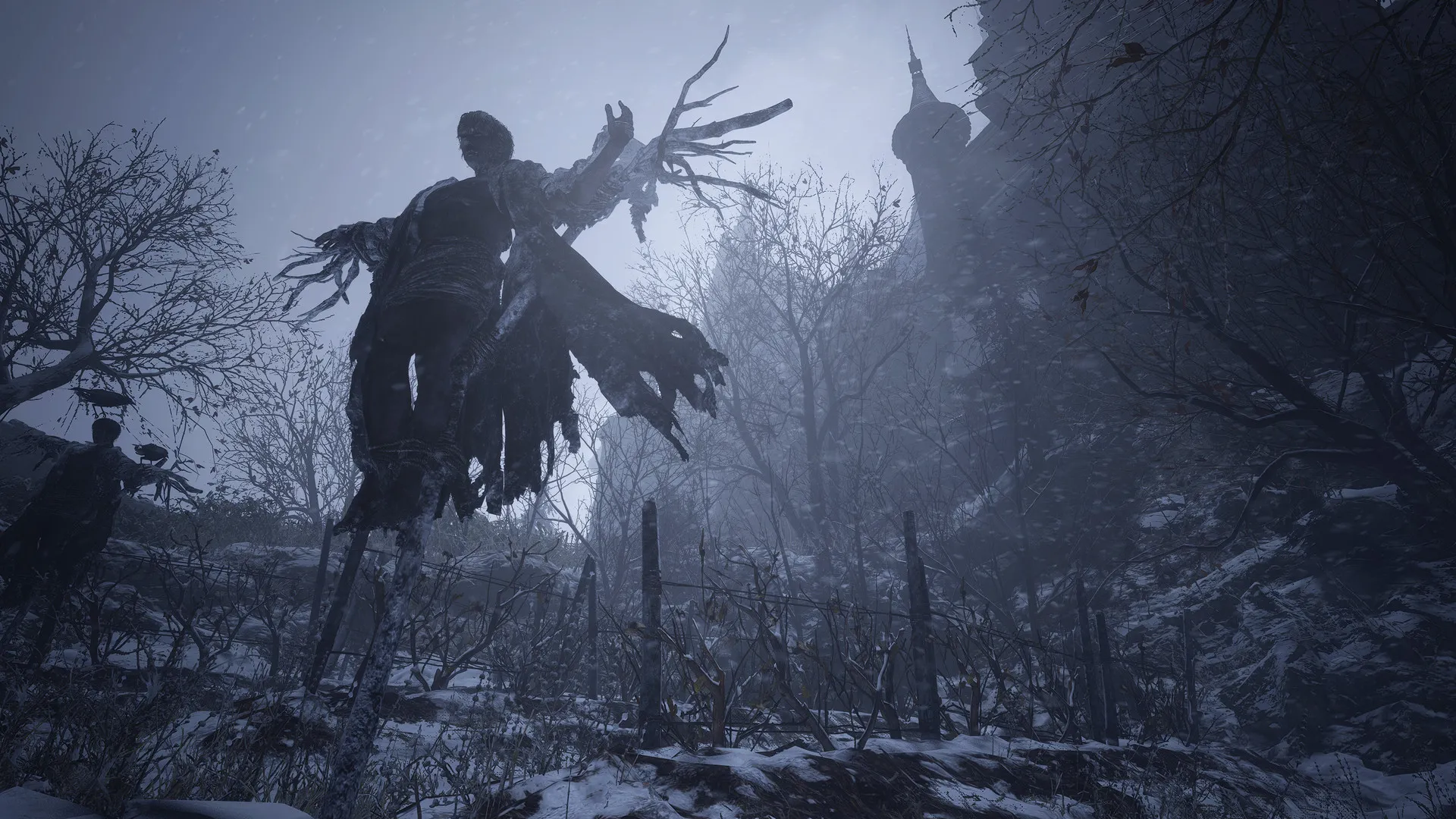
Buy a Resident Evil Village Account PS4 & PS5 and enter one of Capcom’s most atmospheric survival-horror adventures with convenient digital access on PlayStation. Resident Evil Village is the eighth main entry in the Resident Evil series and continues Ethan Winters’ story several years after Resident Evil 7 biohazard, combining exploration, resource management, puzzles, intense combat, and memorable enemies inside a mysterious European village.
Whether you want Resident Evil Village for PlayStation 4, a native Village Resident Evil PlayStation 5 experience, or an account compatible with both console generations, choosing the correct digital product gives you a faster route to installation without waiting for a physical game shipment. The product requirements supplied for this page specifically target a transactional PS4/PS5 account offer with secure checkout and digital delivery.
A Resident Evil Village account for PS4 and PS5 is suitable for players who want digital game access instead of collecting a physical disc. Once the appropriate account is delivered, you can follow the supplied activation instructions, locate the game in the relevant library, and download the version supported by your account.
The current official PlayStation digital product provides entitlement to both the PS4 and PS5 digital versions of Resident Evil Village. Individual third-party account products can have different conditions, however, so always use the platform information shown on the specific account listing before purchasing.
Resident Evil Village begins after the events of Resident Evil 7. Ethan Winters and Mia have attempted to rebuild their lives, but another tragedy sends Ethan into an isolated village while searching for his daughter.
The game combines survival-horror tension with more action-oriented combat, exploration, inventory management, weapon upgrades, puzzles, boss encounters, and threatening characters including Lady Dimitrescu. The main campaign was originally designed around a first-person perspective, while a third-person option was later introduced through the Winters’ Expansion.
Players searching for resident evil village 8 ps4 are referring to this same game: Resident Evil Village is the eighth major Resident Evil installment. Searches such as resident evil 7 village ps4 often reflect the close story connection between Resident Evil 7 and Village, but they remain separate games.
The exact contents depend on whether the product is a Standard or Gold Edition account and on the individual account listing.
| Feature | Standard / General Information |
|---|---|
| Game | Resident Evil Village |
| Platforms | PS4 and/or PS5 according to selected account |
| Genre | Survival horror / action |
| Main campaign | Included |
| Main perspective | First person |
| Third-person campaign | Requires Winters’ Expansion / Gold Edition |
| The Mercenaries | Available as game content |
| Gold Edition extras | Winters’ Expansion + Trauma Pack |
| VR Mode | PS5 / PlayStation VR2 compatible content |
| Digital delivery | According to selected account listing |
| Physical disc | Not required for digital account access |
| Activation | Follow account-specific instructions |
The official PlayStation Store currently lists Resident Evil Village Standard Edition for PS4 and PS5 and also includes Resident Evil Village VR Mode in the entitlement. The VR experience itself requires compatible PS5 and PlayStation VR2 equipment.
The Resident Evil Village account price for PS4 and PS5 can vary according to edition, account type, availability, region conditions, and included DLC. A good price comparison therefore looks beyond the cheapest figure shown on a product page.
| Buying Factor | What to Compare |
|---|---|
| Platform | PS4, PS5, or both |
| Edition | Standard or Gold |
| DLC | Winters’ Expansion, Trauma Pack, other listed extras |
| Account configuration | Follow exact product conditions |
| Region | Check any specified compatibility requirements |
| Delivery | Standard or instant digital delivery |
| Activation | PS4 or PS5 setup requirements |
| Support | Help available for activation problems |
Players checking the PS4 Resident Evil Village price or Village Resident Evil PS5 price should compare equivalent account products rather than comparing a Standard account against a Gold Edition bundle.
Customers wondering where to buy Resident Evil Village account access should prioritize clear product conditions, platform compatibility, secure payment, reliable delivery, and usable activation instructions.
At PSNShop, the goal is to make the product type clear before checkout so customers know whether they are selecting a PS4 option, PS5 option, PS4/PS5 account, or an edition with additional content.
If you searched for a Resident Evil Village PS4 digital code, note the distinction between an account and a redeemable PS Store code. This product category is a digital account product unless the specific listing explicitly says that a redemption code is being supplied.
A Secure Resident Evil Village account online purchase requires careful handling after checkout as well as a trustworthy payment process. Keep delivered credentials private, read the activation guide fully, and avoid changing account settings unnecessarily.
A digital account should also clearly state what it contains. If DLC, Gold Edition content, PS5 access, or a particular region matters to you, verify those details before ordering rather than assuming all Resident Evil Village accounts contain identical entitlements.
A Resident Evil Village PS4 Account provides access for players who still use PlayStation 4. Resident Evil Village officially launched on both PS4 and PS5, so the PS4 version contains the complete central story and gameplay experience rather than a shortened edition.
When choosing Resident Evil Village PS4 for sale, make sure the account listing clearly supports PlayStation 4 and that you understand its activation conditions.
A cheap account may offer excellent value if you only need the base game, while players who want third-person mode and additional story content may prefer a Gold Edition account.
Players searching Resident Evil Village PS4 Best Buy or Resident Evil Village PS4 PlayStation Store are often comparing physical retail and official digital options against digital account pricing. The correct choice depends on whether you value a physical disc, direct PS Store ownership, or a lower-cost account-based digital option.
The specific setup process depends on the account type supplied by the seller. In general:
Do not replace the instructions supplied with your account with a generic guide from another product, because different account configurations can use different activation conditions.
Yes. Questions including is Resident Evil Village on PS4, is Resident Evil 8 available on PS4, can you play Resident Evil Village on PS4, and is Resident Evil Village available on PS4 all have the same answer: Resident Evil Village has an official PS4 version.
The PS4 release provides the core survival-horror experience, including Ethan’s campaign and the central gameplay systems.
PS4 Resident Evil Village gameplay combines exploration, shooting, defensive resource management, puzzle solving, weapon upgrading, hunting for useful items, and encounters with enemies that often force the player to decide whether fighting or escaping is the better option.
Search variants such as Village Resident Evil PS4 gameplay refer to the same core experience. The original campaign is primarily first-person unless you have access to the third-person feature through the Winters’ Expansion.
Third-Person Mode is not simply a display option included with the original base campaign. It is part of the Winters’ Expansion, which is also included with Resident Evil Village Gold Edition. The mode allows the main story to be played with Ethan visible from an over-the-shoulder perspective.
To use it on a supported installation:
Capcom’s official manual confirms that players can switch the campaign between first-person and third-person through the View Mode option.
The PS4 Resident Evil Village Gold Edition is the more complete choice for players who want additional Village content alongside the base campaign.
The official Gold Edition includes:
The PlayStation listing identifies the Gold Edition as a PS4 and PS5 product.
The Winters’ Expansion itself adds three major components: Third-Person Mode for Ethan’s campaign, the Shadows of Rose story DLC set 16 years after the main story, and The Mercenaries Additional Orders with additional playable characters and stages.
Buyers researching DLC Resident Evil Village PlayStation Store options should distinguish the base game from its add-ons.
| Content | What It Adds |
|---|---|
| Winters’ Expansion | Third-Person Mode, Shadows of Rose, Mercenaries Additional Orders |
| Trauma Pack | Digital bonus content and unlock-related extras |
| Gold Edition | Base game + Winters’ Expansion + Trauma Pack + VR Mode entitlement |
| VR Mode | PS5 / PS VR2 survival-horror experience |
If DLC matters to you, purchase an account that explicitly includes it. Never assume a Standard Edition account contains Gold Edition extras simply because those add-ons are available separately.
A Resident Evil Village PS5 Account is intended for players who want the native PlayStation 5 experience. The PS5 version adds hardware-specific features including adaptive triggers, haptic feedback, fast loading, ray-traced visuals, and Tempest 3D Audio support.
After receiving the account:
PlayStation confirms that eligible digital content can be downloaded and played on the PS5 associated through Console Sharing and Offline Play, subject to the account’s licensing conditions.
The Resident Evil Village PS4 vs PS5 comparison is mainly about hardware features and presentation rather than completely different game content.
| Feature | PS4 | PS5 |
|---|---|---|
| Main campaign | Yes | Yes |
| Resident Evil Village core gameplay | Yes | Yes |
| Native console release | PS4 | PS5 |
| DualSense adaptive triggers | No | Yes |
| DualSense haptic feedback | No | Yes |
| Ray-traced presentation | No native PS5 implementation | Supported |
| Tempest 3D Audio | No | Supported |
| Faster SSD-based loading | No | Yes |
| PS VR2 Village VR Mode | No | Yes, with required PS VR2 hardware |
| Gold Edition content | Available | Available |
PlayStation specifically highlights 4K presentation with ray tracing, 3D Audio, adaptive triggers, haptic feedback, and faster loading among the PS5 version’s enhancements.
Searches such as Resident Evil Village PS5 vs PS4 Pro, Resident Evil Village PS4 PS5 difference, Resident Evil Village PS4 vs PS5 graphics, and Resident Evil Village PS4 vs PS5 version generally relate to these hardware improvements.
Variants such as Resident Evil Village PS4 e PS5, Resident Evil Village PS4 y PS5, and Resident Evil Village PS4 a PS5 likewise refer to comparisons or compatibility between the two PlayStation generations.
The phrase Resident Evil Village PS4 on PS5 can refer to either playing a compatible PS4 version through backward compatibility or obtaining the native PS5 edition.
The current official digital Resident Evil Village product provides both the PS4 and PS5 versions, so direct PlayStation Store buyers can select the appropriate download.
For a third-party account, however, check what your specific listing includes. A Resident Evil Village PS4 version on PS5 is not automatically the same experience as running the native PS5 release.
The same principle applies to searches such as PS4 Resident Evil Village on PS5, can you play Resident Evil Village PS4 on PS5, and does Resident Evil Village PS4 work on PS5.
A Resident Evil Village PS4 disc on PS5 is a physical-media scenario and differs from buying a digital account. Physical PS4 discs require compatible disc-reading PlayStation hardware, while a digital account uses an account-based game entitlement.
If you own a PS5 Digital Edition without an optical drive, a physical PS4 disc cannot serve as your installation method, making a digital entitlement the relevant option.
Queries such as Resident Evil Village PS4 PS5 upgrade, Resident Evil Village PS4 to PS5 upgrade, Resident Evil Village PS4 free PS5 upgrade, Resident Evil Village PS4 to PS5 upgrade free, and PS4 Resident Evil Village PS5 upgrade usually come from buyers worried that they will need to purchase the entire game twice.
The current PlayStation Store digital Resident Evil Village product already grants both the digital PS4 and PS5 versions.
For an account sold by a third party, however, rely on the actual account entitlement. Do not assume that every PS4-only listing includes the native PS5 version unless that compatibility is explicitly stated.
Resident Evil Village officially supports transferring saved data from the PS4 version to the PS5 version. Capcom’s manual states that PS4 save data can be uploaded through the game and then downloaded in the PS5 version. An internet connection is required for this game-specific transfer.
For Resident Evil Village PS4 save to PS5 or Resident Evil Village PS4 to PS5 save transfer:
Capcom notes that PS5-created Village save data cannot be transferred backward to PS4, and downloading transferred PS4 data can overwrite existing PS5 save data.
The keyword Resident Evil Village PS4 to PS5 trophies is related but should not be confused with save transfer itself; save-data migration and trophy behavior are separate systems.
A Cheap Resident Evil Village Digital Account is attractive for players who want the game without paying for physical packaging or unnecessary extras.
The best low-cost option depends on what you actually want to play. If your main goal is Ethan’s original campaign, a Standard account may be enough. If you want Third-Person Mode, Shadows of Rose, and expanded Mercenaries content, Gold Edition provides a more complete package.
A Cheap Resident Evil Village PlayStation account should still clearly state:
A lower price is not useful if you accidentally purchase the wrong platform or edition.
When comparing digital deals, check whether a discount refers to the base game or a package containing DLC. Gold Edition naturally has different content from Standard Edition, so price comparisons should be made between equivalent products.
Buyers looking for a PS5 Resident Evil Village bundle should likewise check whether “bundle” means Village with DLC, multiple Resident Evil games, or another packaged offer.
The official PlayStation Store, for example, also lists a Gold Edition bundle containing Resident Evil 7 biohazard Gold Edition together with Resident Evil Village and its expansion content.
The keyword PS5 Resident Evil Village Deluxe Edition can cause confusion because the major currently listed expanded edition on PlayStation is Resident Evil Village Gold Edition.
If a seller uses “Deluxe” in an account listing, check the exact contents rather than assuming it means Gold Edition. Gold Edition is officially defined by the base game, Winters’ Expansion, Trauma Pack, and Resident Evil Village VR Mode.
A Resident Evil Village Account Online refers primarily to purchasing and receiving the digital account online. Resident Evil Village itself is fundamentally a single-player survival-horror experience.
A properly configured Resident Evil Village digital account can provide access to a substantial mix of horror, exploration, combat, and optional additional content.
| Game Feature | Availability |
|---|---|
| Ethan Winters campaign | Base game |
| First-person gameplay | Base game |
| The Mercenaries | Available after campaign progression |
| Third-Person Mode | Winters’ Expansion / Gold Edition |
| Shadows of Rose | Winters’ Expansion / Gold Edition |
| Mercenaries Additional Orders | Winters’ Expansion / Gold Edition |
| Gold Edition | Expanded content package |
| PS5 DualSense features | Native PS5 version |
| PS5 3D Audio | Supported |
| PS VR2 Mode | PS5 with compatible PS VR2 hardware |
The Mercenaries is an arcade-style, score-focused mode that challenges players to defeat enemies efficiently under time pressure. The Additional Orders expansion introduces more content and playable characters such as Chris Redfield, Karl Heisenberg, and Lady Dimitrescu.
A Resident Evil Village digital account with instant delivery eliminates physical shipping. Once the order is processed according to the product’s delivery terms, the account information can be supplied electronically so you can begin the setup process.
The actual time before you can play still depends on download speed, required updates, available console storage, and whether additional expansion content must also be installed.
To activate the account correctly:
Correct activation is especially important for Gold Edition purchases because the base game and expansion entitlements need to be available on the account for the additional content to appear.
The most useful way to evaluate the purchase experience is through practical factors rather than fabricated testimonials. Buyers generally care about receiving the correct edition, getting the account quickly, following clear activation instructions, maintaining reliable access, and being able to reach support if something goes wrong.
| Buyer Priority | What a Good Experience Should Provide |
|---|---|
| Account quality | Correct game, edition, and platform |
| Delivery speed | Details supplied within the advertised timeframe |
| Security | Clear checkout and careful credential handling |
| Setup | Understandable PS4/PS5 activation process |
| Game experience | Correct game launches after activation |
| Satisfaction | Product matches the listing |
| Support | Assistance when setup instructions are unclear |
For Resident Evil Village specifically, satisfaction also depends heavily on choosing the right edition. Players interested only in the core survival-horror campaign may be perfectly served by Standard Edition, while those specifically seeking third-person gameplay or Shadows of Rose should prioritize Gold Edition or Winters’ Expansion access.
Customers purchasing from PSNShop can reduce avoidable setup issues by verifying the platform and edition before payment and following the account-specific instructions after delivery.
Yes. Resident Evil Village officially supports PlayStation 4 as well as PlayStation 5. The PS4 version includes the complete core campaign and main gameplay experience. If you are purchasing a digital account specifically for PS4, confirm that your selected listing provides PS4 access and follow its activation instructions before downloading the game.
The current official PlayStation digital product grants access to both the PS4 and PS5 digital versions. For third-party digital accounts, upgrade rights depend on the actual entitlement attached to the account. If the product is described as PS4-only, do not assume it includes the native PS5 version unless PS5 compatibility is explicitly stated.
For the current digital PlayStation Store product, both versions are included in the same entitlement, meaning eligible buyers do not need to purchase a separate digital PS5 copy of that product. Account listings from other sellers can differ, so check whether the Resident Evil Village account you select explicitly supports PS5 before ordering.
Yes. Capcom provides an in-game PS4-to-PS5 transfer method. Upload the PS4 save data from the game’s Options menu and then download it through the PS5 version. An internet connection is required. PS5 saves cannot be transferred backward to PS4, and importing the PS4 data can overwrite existing Resident Evil Village PS5 save data.
You need access to the Winters’ Expansion or Resident Evil Village Gold Edition. Third-Person Mode is included in that expansion and allows Ethan’s main campaign to be played from behind the character instead of exclusively through the original first-person perspective. Once installed, the perspective can be selected through the game’s Camera/View Mode settings.
Gold Edition includes Resident Evil Village, the Winters’ Expansion, Trauma Pack, and Resident Evil Village VR Mode entitlement. The Winters’ Expansion adds Third-Person Mode, Shadows of Rose, and The Mercenaries Additional Orders. The VR component requires compatible PS5 and PlayStation VR2 hardware, while the other Gold Edition content is available according to the supported PS4/PS5 entitlement.
Safety depends on choosing a transparent seller and handling the account correctly. Review the supported platform, edition, region, account conditions, and delivery process before purchasing. Use the store’s supported checkout method, keep credentials private, and follow the supplied activation instructions exactly. If an account does not match the listing or the license is unavailable, contact support before making unnecessary credential or console-setting changes.
WhatsApp us

